 Clear Cortex
AI video editor: what it means, and what it can and can't do
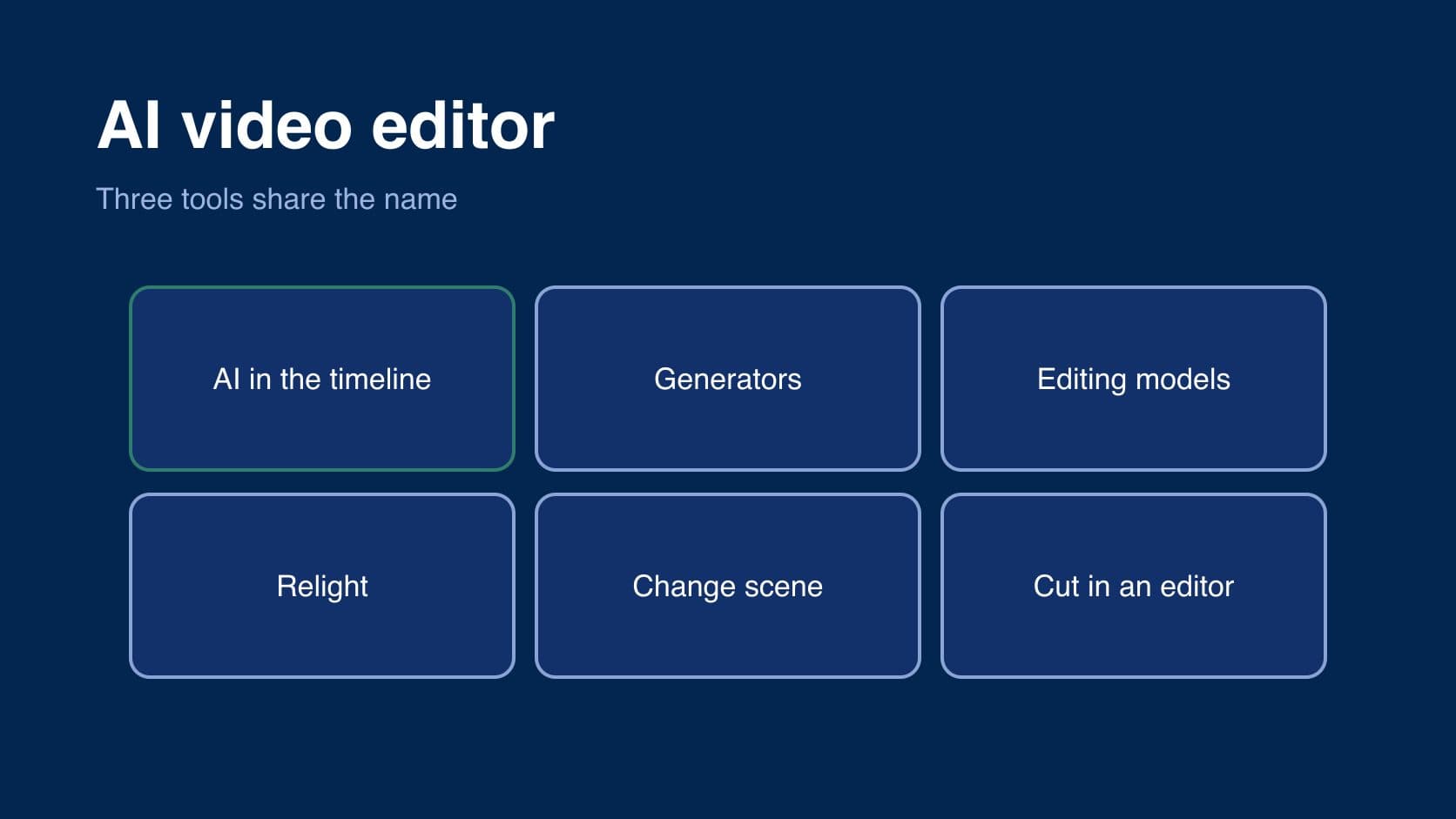
"AI video editor" is used for three quite different tools. one is a normal timeline editor with AI features added: automatic captions, cutting out silences, editing by deleting words from a transcript. one is a generator that makes new footage from a prompt or a picture. and the newest is an AI editing model, which takes a clip you already have and re-renders it with something changed — the weather, the light, an object added or removed.
this page explains all three, what each is good for, where each stops, and how people actually combine them. the honest summary up front: AI has not replaced the timeline. it has changed where the footage comes from and how much it costs to make a variation of it.
the short answer
- AI inside a timeline editor: speeds up the boring parts of a normal edit — captions, rough cuts, silence removal. you still edit.
- AI video generators: make new shots from text, an image, or a start and end frame. they replace the shoot for some shots, not the edit.
- AI editing models: change a finished clip from a prompt — relight it, change the scene, remove or replace something — without reshooting.
- for a long video, you still cut it in a traditional editor. AI makes the pieces and the variations.
- for short ad creative, generating and AI-editing the clips can be most of the job.
the three things people mean
AI features in a timeline editor
a timeline editor — sometimes called an NLE, a non-linear editor — is where you lay clips, sound, music and text on tracks and cut them together. most of the well-known ones now ship some AI features: transcribing speech into captions, finding and removing pauses, suggesting cuts, cleaning up audio, tracking a subject so a vertical crop follows it. these are real time-savers on talking-head and podcast footage. they don't make new footage; they work on what you shot.
AI video generators
a generator makes a clip that didn't exist. you describe it, or give it a still image as the first frame, or give it a start and an end frame and let it fill in the movement. clips are short — a few seconds up to well under a minute, depending on the model — so a generator gives you shots, not a finished video. how that works, and which inputs give the most control, is in image-to-video AI and how to make an AI video.
AI video editing models
an editing model takes a finished clip as its input and re-renders it according to a prompt: "make it rain", "set it at golden hour", "remove the cup on the table". the people, framing and camera move are meant to stay the same; only the thing you asked for changes. this is the part that used to need a reshoot or hours of compositing, and it is the part that is moving fastest.
it is not frame-perfect. a re-render can drift — a face changes slightly, a logo softens, a hand does something odd — so every edited clip needs watching at full size before it goes anywhere.
what AI editing is good for
- variations of one shot. the same product clip at dawn, at noon and at night, for testing which one an audience stops for.
- fixing the light. a flat, overcast clip relit as warm and sunny, or the colours regraded to a different palette.
- changing the scene. adding fog, snow, rain or smoke over a whole clip without touching the action.
- removing or replacing something. a distracting object out of frame, or one product swapped for another.
- shots you couldn't afford. b-roll, establishing shots and product hero shots that would otherwise mean a location or a studio day.
what it is not good for
cutting. pacing a ten-minute YouTube video, laying a voiceover, timing captions to speech, mixing music under dialogue, exporting a dozen versions for different placements — that is still a timeline editor's job, and nothing in the generator world does it as well. people who have tried the all-in-one AI tools say the same:
"Many still finish captions, transitions, music, or other edits in another editor, depending on the plan they're using."
and the question to ask of any of them is how much is left to do when the AI is finished:
"Some tools generate beautiful clips but expect you to do all the editing yourself."
AI is also weak where accuracy matters: text on packaging, exact product details, a real person's face, anything that has to match what a customer will receive. use it for the shot, check it against the real thing.
how people combine them
the workflow that has settled out is simple. generate the shots you can't film, AI-edit them into the variations you need, then cut everything together in the editor you already use. a professional editor new to generation described exactly this plan:
"I'm completely new to AI video generation, but I'm a professional video editor. My idea was to use AI for creating the shots and then use my editing skills to bring everything together in post production."
that is the right instinct. the skills that make a good edit — taste, pacing, knowing what to cut — matter more when footage is cheap, not less. as another put it:
"You’ll be able to use these tools in a much better way if you know traditional video editing and graphic design."
how to choose an AI video editor
- if you mostly cut footage you shot, pick a timeline editor whose AI features match your content — captions and silence removal for talking heads, auto-reframe for social cut-downs. see video editor for the kinds.
- if you need shots you don't have, you need a generator, and the model matters more than the app around it. see best AI video generators.
- if you need many versions of one clip, you need an editing model that keeps the subject and framing while changing the scene or the light.
- if you work in a browser or on a laptop, generation and AI editing run on someone else's servers, so your computer barely matters; a timeline edit still leans on your machine. see online video editor and video editor for PC.
the longer version, with questions to ask of any tool, is in best AI video editor.
where Clear Cortex fits
Clear Cortex is not a timeline editor. there are no tracks, no captions and no music in it, and for cutting a long video you should use a traditional editor. what it does is the other two jobs: making short clips and AI-editing them.
- generating: video mode in the AI Workbench runs models including Seedance, Kling, Hailuo and Gemini Omni Flash, from a prompt, a start and end frame, or reference images. Film Studio adds setting cards for film setup, camera, colour and lighting. Marketing Studio makes review, UGC, unboxing and product-shot videos from a product photo.
- AI editing: every finished clip has an Edit tab. Edit video changes it from a prompt, with starters for relight, colour palette, removing something and replacing something. Change scene sets the weather or time of day over the whole clip while keeping the people, framing and camera move. Extend adds what happens before or after, as one longer clip.
- your own footage: you can upload a short clip into Assets and use the same Edit tab on it.
what it doesn't do: there is no reframe and no background removal, and it won't cut your timeline. the clips export as files for whatever editor you finish in.
frequently asked questions
what is an AI video editor?
any video tool that uses AI to do part of the work. that can mean AI features in a normal editor, a generator that makes new clips, or a model that re-renders a clip you already have with something changed.
can AI edit a whole video for me?
it can rough-cut simple footage, like a talking head, and some tools assemble short ads automatically. for anything with a story, pacing or a brand to protect, a person still makes the cut.
will AI replace video editors?
it is replacing some shoots and some repetitive tasks. it is making editors who use it faster. the judgement about what to keep and what to cut is still the job — see freelance video editor.
is Clear Cortex an AI video editor?
in the sense of AI editing models, yes: it re-renders clips with a new scene, new light or an object changed. in the sense of a timeline editor, no.
the summary
- three tools share the name. AI features in a timeline editor, generators, and editing models.
- the timeline isn't going anywhere. long videos are still cut in a traditional editor.
- generators make the shots; editing models make the variations.
- check every AI clip at full size. re-renders drift, especially on faces, hands and text.
- editing skill matters more, not less, when footage gets cheap.
guides in this series
this page is the overview. the guides below go deeper on each part.
- video editor: the kinds of video editor, and where AI fits.
- online video editor: editing in a browser, and what it trades away.
- best AI video editor: how to choose one for creative work.
- best video editor: matching the editor to the job.
- video editor app: editing on a phone, and where it runs out.
- simple video editor: what simple should mean, and what to give up.
- video editor for PC: desktop and laptop editing, and what your machine needs.
- freelance video editor: where AI speeds up client work, and what stays human.
- image-to-video AI: a still image as the first frame.
- how to make an AI video: from brief to export.
- script to video AI: from a written script to clips.
- best AI video generators: the models, and what each is best at.