 Clear Cortex
Character Studio
AI character generator
An AI character generator makes a picture of a person who does not exist, from a written description or a photo. Character Studio makes them and then keeps them — the same face from every angle, saved and ready to cast in your ads and videos.
Open Character StudioWhat is an AI character generator?
An AI character generator is an image model that draws a person, or a creature or mascot, from a description rather than from a photo shoot. You write who they are — age, face, hair, clothes, setting — and it returns a picture of someone who has never stood in front of a camera.
Making one good image is the easy part. The useful part, if the character is going into marketing, is getting the same face back in the next image, and the one after that, from a different angle and in a different scene.
How to write a character description
The description is the whole brief, so write it like a casting note rather than a story. A character description generator only fills in these same slots for you; it is quicker to fill them yourself and know what you asked for.
- Who
- Age, build and origin. "A woman in her 60s", not "an older woman".
- Face and hair
- The two or three features someone would recognise them by: a silver bob, freckles, round glasses, a neat beard.
- Clothes
- One outfit, named piece by piece. Clothes change between shots more than faces do, so pin them down.
- Framing
- Portrait, full body or a sheet of angles, facing the camera.
- Background and light
- Plain and even for a reference image — a grey studio wall, soft light — so the person is all the model has to remember.
- Style
- Photorealistic, phone selfie, illustrated, 3D. Say it once, up front.
Put together, it reads like the description Character Studio's portrait recipe starts from:
Photorealistic front-facing portrait of a Black man in his late 30s with a short neat beard and close-cropped hair, wearing a navy crew-neck jumper, looking straight at the camera, neutral expression, soft even studio light, plain light grey background, head and shoulders.
Keep it to one person per description, and leave out mood words the model cannot draw ("confident", "relatable"). Show those with an expression or a pose instead.
The hard part: the same character in every shot
Ask an image model for "a woman in her early 30s with long dark hair" twice and you get two different women. That is fine for a one-off picture and useless for a campaign, where the person in the ad has to be the person in the follow-up, the storyboard and the video. People making AI ads ask for it in so many words:
"But what if I want the same character across different scenes, different locations with different outfits?"
The fix is a reference image. Instead of describing the character again, you send the model a picture of them and ask for the same person in a new pose or place. The more of the face and body that reference shows, the better it holds — which is why character work starts with a sheet: front, back and a close-up, or a full turnaround, or one face in several expressions.
Character Studio is built around that. You create a character from a description or a photo, and it is saved as its own folder in Assets. One click then asks for a new angle — a ¾ view, a profile, full body, a smile — using their current image as the reference, into the same folder. When you need them in an ad or a clip, that folder is what you pick.
Video works the same way. A character image used as the first frame means the clip starts on your person rather than a stranger; how that works, and how the models differ, is in image to video AI and on the AI video generator page.
Where Character Studio starts
Each recipe is a written description on an image model chosen for holding a reference. Pick one, change the person, and create.
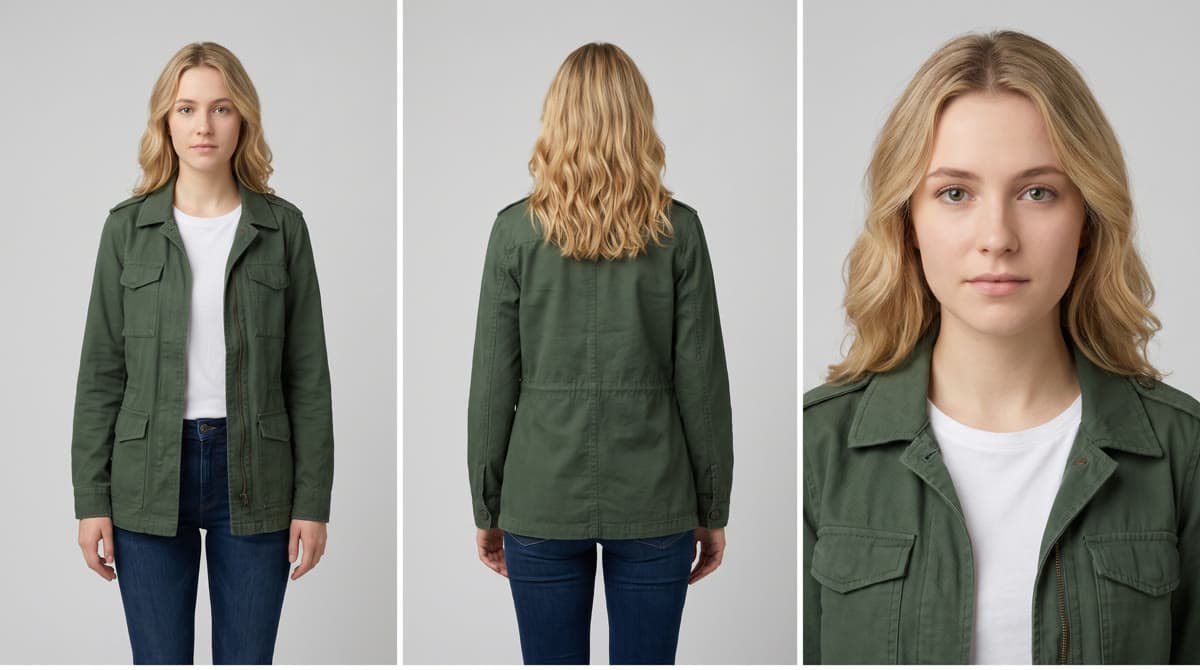
Character sheet
Front and back, full body, plus a close-up of the face — one sheet
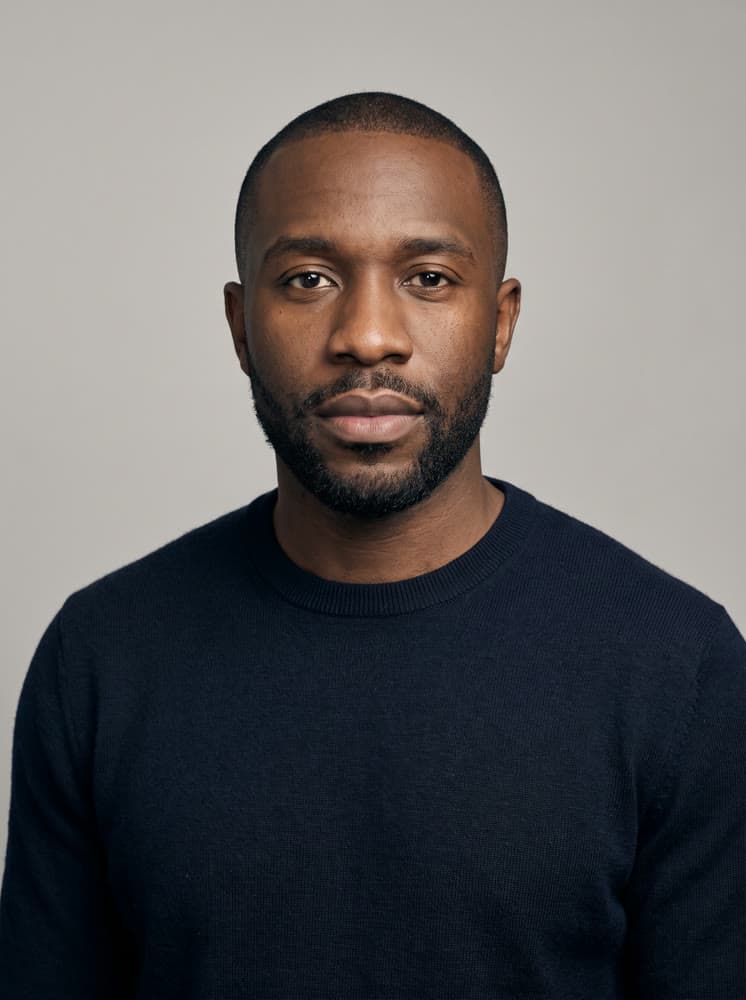
Portrait
A single clean front-facing head-and-shoulders portrait
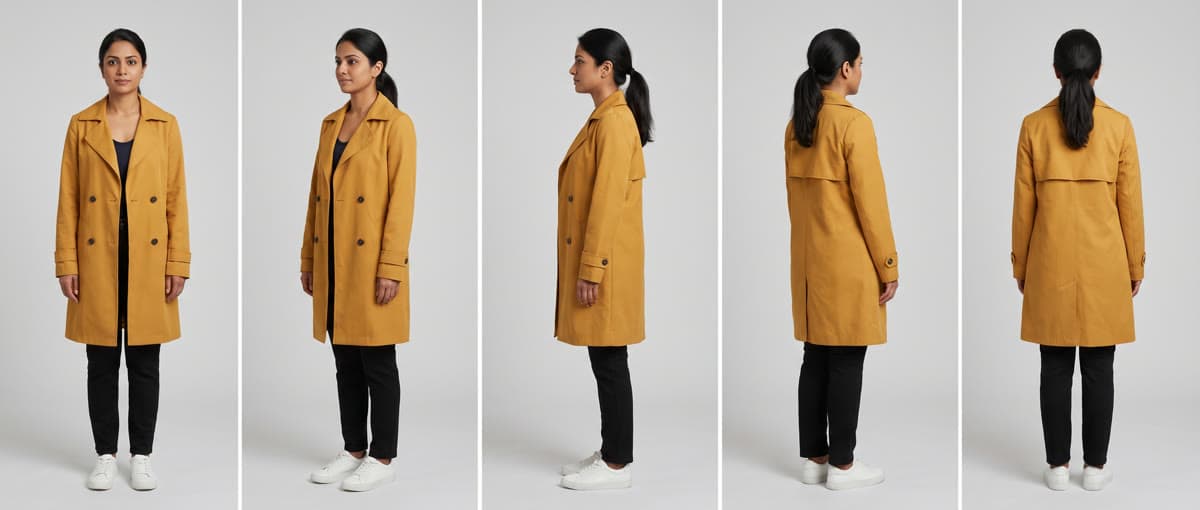
Turnaround
Five full-body angles, front round to back — one wide sheet
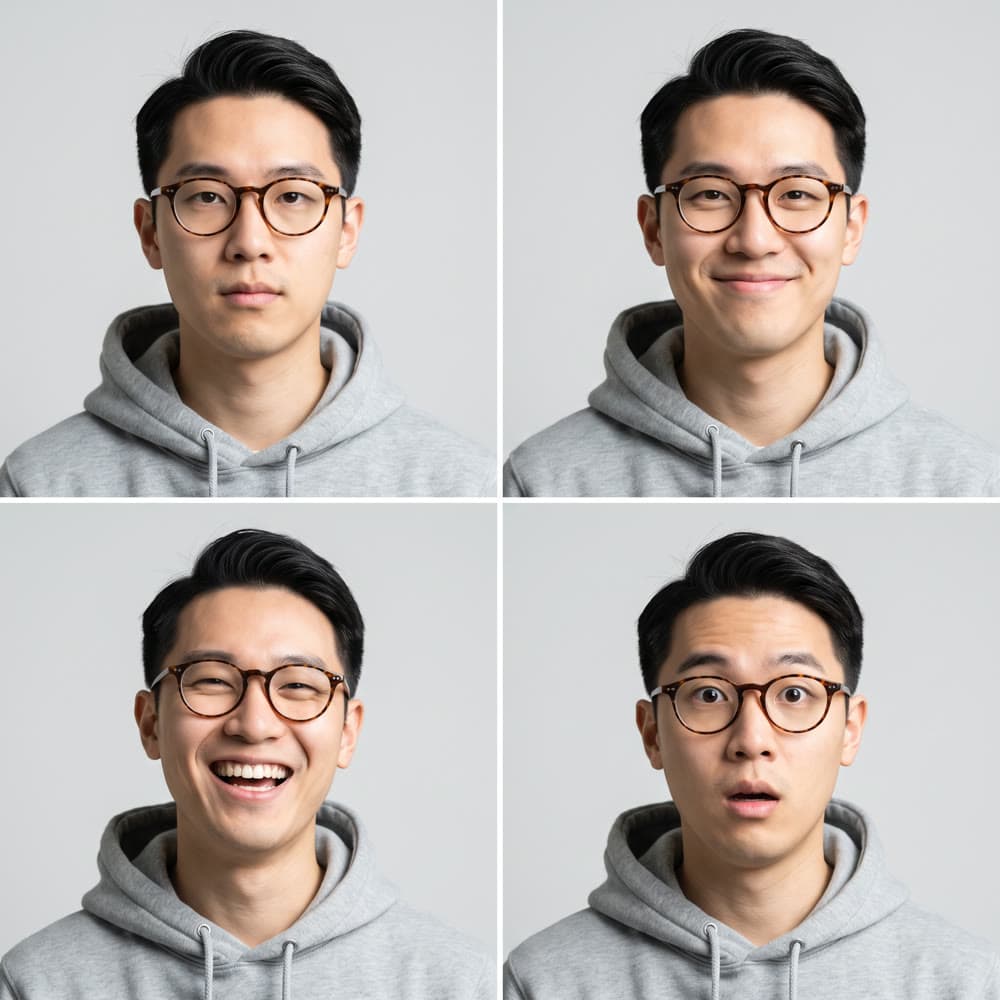
Expression sheet
The same face four ways — neutral, smiling, laughing, surprised
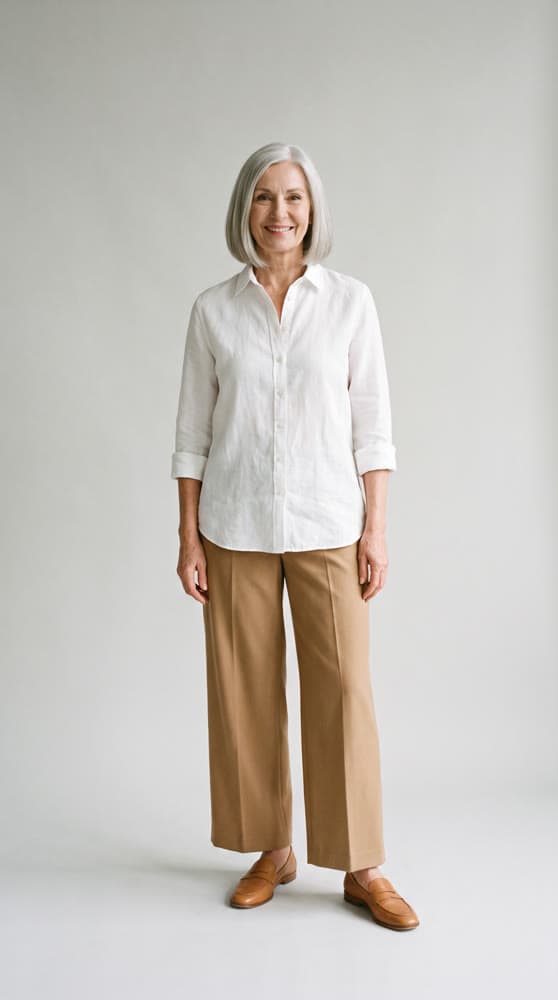
Full body
One full-length shot, standing, facing the camera
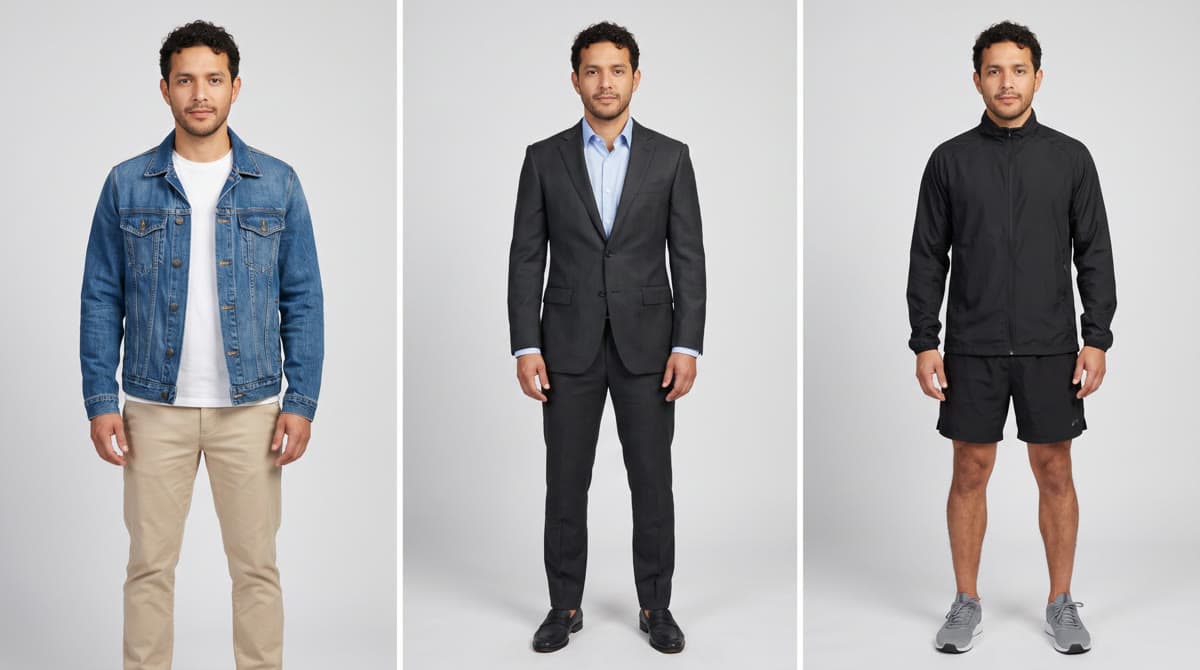
Outfits
The same person in three outfits — casual, smart, sportswear
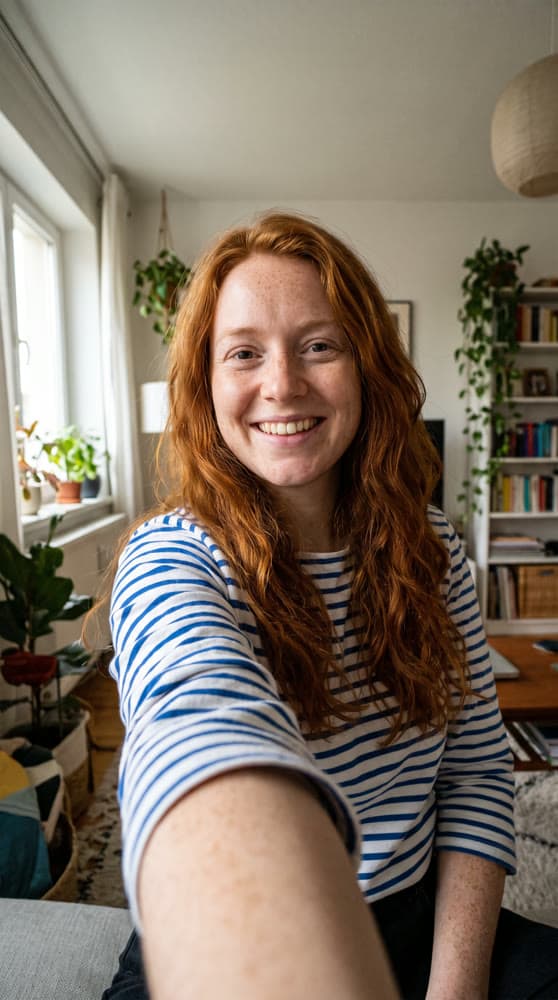
Creator selfie
Phone-camera selfie at home — ready for UGC in Marketing Studio
What brands use AI characters for
Mascots
A recurring character that is the brand's own — illustrated or real-looking. Consistency is the whole point: a mascot that changes face between posts is not a mascot.
Ad presenters
The person holding the product, reviewing it or talking to camera, in the creator style of UGC. In Marketing Studio a saved character is the avatar those presets put next to your product; AI UGC covers where that works and where it does not.
Storyboard casts
The people in a short film or a multi-shot ad, made once and then referenced shot after shot in Film Studio, so the lead in shot one is still the lead in shot six.
Rights and likeness
A character you describe from scratch is not anyone. A character built from a photo is someone, and their face is theirs.
- Don't make a character from a real person's photo — a customer, a colleague, a celebrity — without their consent, and for an ad, get it in writing.
- Don't describe a character to look like a named public figure. Advertising rules and personality rights cover a recognisable lookalike, not just a photo.
- Check each ad platform's rules on AI-generated people before you publish; some ask you to label realistic synthetic media.
- If the character is a brand asset you plan to keep, keep the description and the reference images together, so the character can be made again.
This is general guidance, not legal advice.
Questions about AI character generators
How do you write a description for an AI character?
Name the things a casting director would: who they are (age, build, origin), their face and hair, what they are wearing, and how the shot is framed — portrait, full body, plain background. Be specific about the few details that make them recognisable and leave the rest alone.
How do you keep an AI character consistent?
Generate the character once, then send that image back to the model as a reference every time you want them again, with a prompt that says to keep the same person. A character sheet or turnaround — several angles of the same person in one image — gives the model more of the face to hold on to than a single portrait does.
Can I make a character from a photo?
Yes. Character Studio takes a photo, a description, or both: attach the photo and say what to change. Only use a photo of someone who has agreed to it — see the section on rights and likeness above.
Can I put my AI character in a video?
Yes. A character saved in Character Studio can be the face in a Marketing Studio ad or a cast member in a Film Studio shot, and any of their images can be the first frame of a clip in video mode, so the person in the clip is the person you made.
Does an AI character have to be photorealistic?
No. The starting recipes in Character Studio are photorealistic because most ads need a believable person, but the description sets the style — ask for a flat illustrated mascot or a 3D cartoon and the model draws that instead.
Make your character
Describe them or add a photo, add the angles you need, and cast them in Marketing Studio and Film Studio. Every image lands in Assets.
Open Character Studio