 Clear Cortex
Meta ad specs: Facebook and Instagram ad sizes by placement
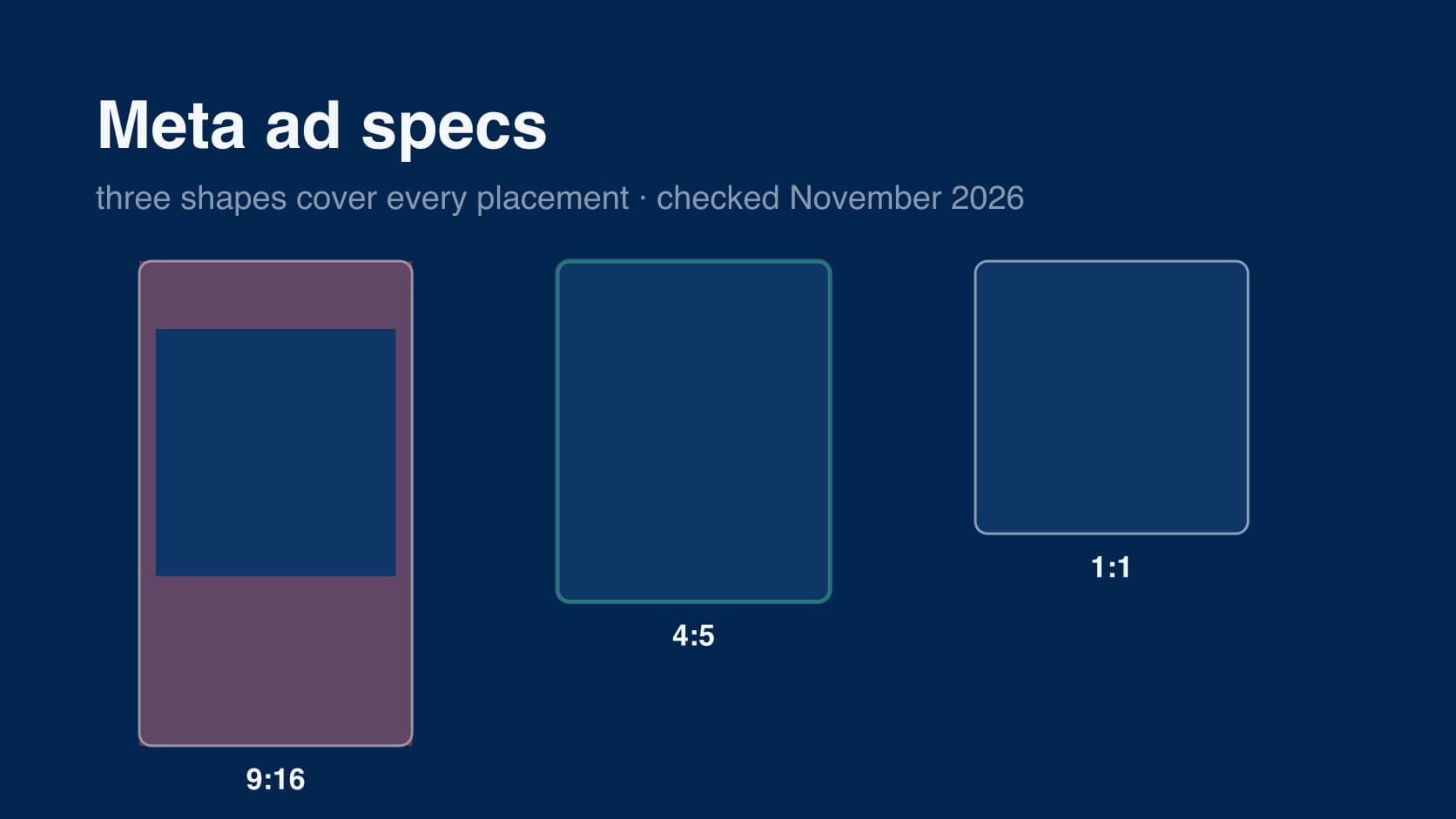
Meta ad specs are the sizes, ratios, file limits and text lengths that Facebook and Instagram expect for each placement. there is no single "Facebook ad size", because a feed, a Story and a Reel are different shapes, and Meta fits whatever you upload to each one by cropping, padding or, increasingly, by quietly editing it.
below is one table of what Meta's own Ads Guide says for each placement, then the safe zones for Stories and Reels, then how to export one concept so it covers Meta, TikTok and YouTube Shorts without three separate edits. Meta's placement pages carry no "last updated" date, so every figure here is as checked on 2 November 2026.
every size, ratio, length and safe zone for Instagram, Facebook, TikTok and YouTube Shorts is on one page in the social media specs hub.
the short answer
- Feed (Facebook and Instagram): 4:5. Meta recommends 1440×1800; 1080×1350 is the same shape.
- Stories and Reels: 9:16. Meta recommends 1440×2560; 1080×1920 is the same shape. keep the top 14%, the bottom 35% and 6% on each side free of text and logos.
- Marketplace (and the right column): 1:1, at least 1080×1080.
- images: JPG or PNG, up to 30 MB. video: MP4 or MOV (GIF on some placements), up to 4 GB.
if you only export two files, make them 9:16 and 4:5. if you export three, add 1:1.
Meta ad sizes by placement
straight from the placement pages of the Meta Ads Guide. "rec." is Meta's recommended resolution, "min." is the smallest it will accept.
| placement | image | video | video length | text |
|---|---|---|---|---|
| Facebook Feed | 4:5, rec. 1440×1800, min. 600×750, 30 MB, ±3% ratio tolerance | 4:5, rec. 1440×1800, min. 120×120, 4 GB | 1 sec to 241 min | primary 50–150 chars, headline 27 |
| Instagram Feed | 4:5 rec. (accepts 4:5 to 1.91:1), rec. 1440×1800, min. width 500, 30 MB | 9:16, rec. 1080×1920, min. width 250, 4 GB (see note) | 1 sec to 60 min | primary 125, headline 40, max 30 hashtags |
| Facebook Stories | 9:16, rec. 1440×2560, min. width 500, 30 MB; shows for 8 sec | 9:16, rec. 1440×2560, min. width 250, 4 GB | 1 sec to 3 min; 15 sec or less plays in full | primary 125, headline 40 |
| Instagram Stories | 9:16, rec. 1440×2560, min. width 500, 30 MB; shows for 5–16 sec | 9:16, rec. 1440×2560, min. width 250, 4 GB | 1 sec to 60 min; 16 sec or more may split into up to 3 cards | primary 125 |
| Instagram Reels | — | 9:16, rec. 1440×2560, min. width 250 (under 30 sec) or 500 (30 sec+), 4 GB | 0 sec to 15 min | primary 44 |
| Facebook Reels | — | 9:16 (placement page not reachable; see note) | — | — |
| Facebook Marketplace | 1:1, at least 1080×1080, 30 MB | — | — | primary 125, headline 40, description 30 |
| Facebook right column | 1:1, 1080×1080 (third-party figure; see note) | — | — | — |
video settings are the same on every video placement: H.264, square pixels, fixed frame rate, progressive scan, stereo AAC audio at 128 kbps or more, and no edit lists or special boxes in the file container. captions and sound are optional everywhere but recommended.
the 15-minute Reels figure is for ads built in Ads Manager; organic and boosted reels have their own limits, set out in how long an Instagram Reel can be.
where the table is uncertain
Instagram Feed video says 9:16. Meta's Instagram Feed video page gives 9:16 at 1080×1920 and mentions no other ratio, while the Facebook Feed video page gives 4:5 at 1440×1800, and nearly every third-party spec sheet still lists 4:5 for Instagram feed video. the two Meta pages disagree with each other. we have not resolved it, and the safe answer is in the last section: a 9:16 master with everything important inside the central 4:5 band works either way.
Facebook Reels and the right column. both are still listed as placements in Meta's Ads Guide, but neither had a placement page we could load on 2 November 2026. Facebook Reels is 9:16 like every other Reels placement. for the right column, third-party guides agree on 1:1 at 1080×1080, desktop only, shown very small. treat both as unconfirmed by Meta.
1440 versus 1080. Meta's pages now recommend 1440-wide files. most spec sheets and most tools still say 1080. the shape is what Meta checks against its ratio tolerance; the minimum widths are 600 px or less, so a 1080-wide file is accepted on every placement above. 1440 is simply what Meta recommends.
safe zones for Stories and Reels
Meta gives the same instruction on its Instagram Reels, Instagram Stories and Facebook Stories pages: leave roughly 14% of the top, 35% of the bottom and 6% on each side free of text, logos and other key creative, so the profile icon and the call-to-action button do not cover them. at 1080×1920 that is:
- top: 269 px
- bottom: 672 px
- each side: 65 px
which leaves a 950×979 px area in the middle — about half the frame. one ad account summed up what that means for anyone hoping to reuse a feed design:
"A feed ad and a story ad are not one ad in two sizes."
older guides give Stories a smaller bottom band, often 20%. Meta's current Stories pages say 35%, the same as Reels, and that is what we have used.
text on the image
Meta no longer rejects images for having more than 20% text. that rule, and the grid tool that measured it, were retired several years ago (we could not find Meta's own notice to date it precisely). what replaced it is less clear-cut, and people running accounts are not convinced it went away:
"Meta rejecting stuff for too much text (yeah I know the 20% rule is "gone" but my reach still tanks)"
we have no Meta source saying text-heavy images are delivered less, and that one is a single account's report. the practical guidance holds either way: put the argument in the picture, keep the words on it short, and use the primary text, headline and button for everything else. those three fields are where the character limits in the table apply.
what Meta does to the file you upload
the spec sheet is only half of it. with Advantage+ creative switched on, Meta crops, resizes and adjusts what you upload to fit placements, and the result is not always what you approved. one widely shared breakdown of what turns up in the per-element report:
"meta cropped your image to a square and cut off the product"
"meta changed the aspect ratio and your headline is cut off on mobile"
and from an advertiser who had lost hours to it in a week:
"Ads serving completely differently than they appear in Ads Manager and in preview mode, ads cropping weirdly when serving, random errors when trying to publish ads."
according to the same breakdown, the controls sit in the ad itself, under Advantage+ creative, as individual toggles: turn off the ones you do not want, or leave them on and check the per-element report. Meta moves these settings around, so treat that as a starting point rather than a map. either way, uploading the right shape for each placement leaves Meta far less to change.
that has become harder for single-image ads. people who used to give Stories its own file found the option had moved:
"I used to get to a crop screen that let me select a different image entirely for the Story/Reels placement (9:16) rather than just cropping the same image."
"Now I just get one image upload and no option to assign a different creative per placement."
we have not confirmed where Meta has moved this control in the current Ads Manager, and it varies by account. if you cannot attach a separate 9:16 file, the fallback is to design one image that survives the crop, which is the next section.
one creative, every placement
the shapes overlap more than they look. a 4:5 frame is a 9:16 frame with 285 px trimmed off the top and the bottom at 1080 wide. Meta's Reels safe zone already keeps the top 269 px clear. so if you build a 9:16 master and keep everything important inside the central 1080×1350 band, the feed crop loses nothing that matters.
the export set that covers Meta, TikTok and YouTube Shorts:
- 9:16 at 1080×1920 (or 1440×2560) — Facebook and Instagram Stories and Reels, TikTok, YouTube Shorts. keep text and logos inside x 120–780, y 288–1,248, which is clear on all three platforms' ad interfaces. the reasoning and the overlaid diagram are in the TikTok safe zones guide.
- 4:5 at 1080×1350 (or 1440×1800) — Facebook and Instagram Feed. either a re-frame of the master, or the master's central band with the text re-set for the shorter frame.
- 1:1 at 1080×1080 — Marketplace, the right column and carousel cards. optional if you are not buying those placements.
TikTok's own spec page accepts 1:1 and 16:9 as well as 9:16, but both play with bars. on every vertical platform, 9:16 is the only shape that fills the screen.
the failure this guards against is a familiar one:
"Then the same master creative needs 6 different aspect ratios and someone always ships a 1:1 where a 9:16 should go"
three shapes is enough. more than that and the extras are mostly chances to upload the wrong file.
if you make the creative in Clear Cortex, the image and video studios export 9:16, 4:5 and 1:1, so all three can come out of one project rather than three separate edits.
the summary
- feed is 4:5, Stories and Reels are 9:16, Marketplace is 1:1. Meta recommends 1440-wide files; 1080-wide files are the same shapes and are accepted everywhere.
- images: JPG or PNG up to 30 MB. video: MP4 or MOV up to 4 GB. length limits run from 3 minutes (Facebook Stories) to 241 minutes (Facebook Feed).
- Stories and Reels: keep the top 14%, the bottom 35% and 6% on each side clear. at 1080×1920 that is 269, 672 and 65 px.
- Meta's own pages disagree on Instagram Feed video (9:16 on one, 4:5 on the Facebook equivalent). a 9:16 master with the important parts inside the central 4:5 band covers both.
- check what Advantage+ creative did to your file. the per-element breakdown shows crops you did not make.
- export 9:16, 4:5 and 1:1 from one concept and keep the words in the box that is clear on every platform.