 Clear Cortex
Instagram safe zones: Reels, Stories and Feed in pixels
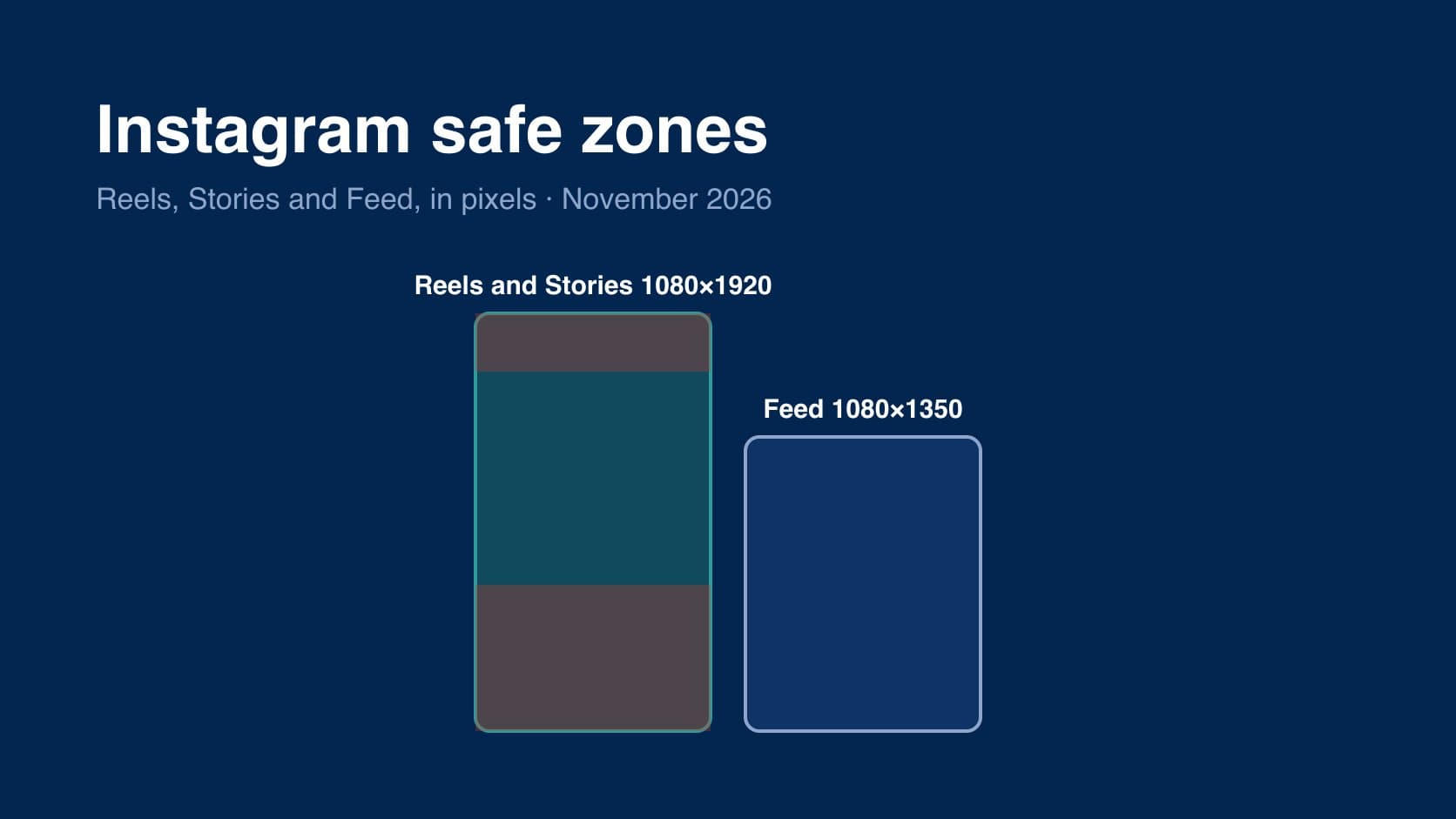
an Instagram safe zone is the part of the frame the app's own buttons, captions and profile details do not cover. on Reels and Stories that is a box in the middle of a 9:16 frame. on the feed it is nearly the whole image, with one catch: the profile grid crops it.
for ads, the whole social specs set is on one page in the social media specs hub. below are the Instagram numbers in pixels, where they come from, and where Meta's figures and everyone else's disagree. checked November 2026.
the short answer
- Reels and Stories, 1080×1920: keep the top 269 px, the bottom 672 px and 65 px on each side free of text and logos. that is Meta's 14% / 35% / 6%, and it leaves a 950×979 px box.
- Feed, 1080×1350: nothing in the app sits on top of the image in the feed itself. on your profile grid, which shows posts as 3:4 tiles, a 4:5 post loses about 34 px from each side.
- Feed, 1080×1440 (3:4): shows whole on the grid. organic only; Meta's ad pages stop at 4:5.
Reels safe zone
Meta's Ads Guide page for Instagram Reels video asks you to leave roughly 14% of the top, 35% of the bottom and 6% on each side free of text, logos and other key creative, so the profile icon and the call-to-action do not cover them. on a 1080×1920 frame:
| edge | Meta's figure | at 1080×1920 | at 1440×2560 | what sits there |
|---|---|---|---|---|
| top | 14% | 269 px | 358 px | the app's own header |
| bottom | 35% | 672 px | 896 px | caption, profile icon, call-to-action |
| left and right | 6% each | 65 px | 86 px | device edges and the button column |
Meta now recommends 1440×2560 for Reels ads; the percentages are the same, so use the column that matches your export.
the box that is left is small. one Meta ads trainer, walking through Meta's own safe zone examples, put it bluntly:
"Now, that's quite a small area and it doesn't mean that you can't include things that are outside of this because you can see more than half of the creative is not included within a safe zone."
that is the right reading. the zone is for what has to be read — the offer, the price, the headline, the logo. the picture can run edge to edge.
Stories safe zone
Meta's Instagram Stories pages, image and video, give the same 14% / 35% / 6% as Reels. so at 1080×1920 it is 269 / 672 / 65 again. the same trainer's shortcut holds:
"And you can basically work out that if you make something in the safe zone for um reals, you you're basically there for stories anyway."
where the Stories numbers disagree
many third-party guides give Stories a much smaller margin: about 250 px clear at the top and 250 to 340 px at the bottom. those numbers are older and describe an organic story, where the bottom of the screen holds a reply bar rather than an ad's call to action. we found no Meta page that gives them. Meta's current ad pages say 35% at the bottom for Stories, and that is what we have used. for an organic story, the 250 px figures are a reasonable measured minimum; for anything you might put money behind, use Meta's.
Feed safe zone
Meta publishes no safe zone for Feed, and there is a reason: in the feed itself, the account name sits above the image and the buttons and caption sit below it. nothing is drawn over the picture. what can cut it is the crop.
- the supported range. Instagram's Help Centre says a photo keeps its original resolution if its ratio is between 1.91:1 and 3:4, at 1080 px wide that is 566 to 1,440 px tall. anything outside that range is cropped to fit.
- the profile grid. since January 2025 the grid on your profile shows posts as 3:4 tiles rather than squares. a 1080×1350 (4:5) post is wider than 3:4, so the tile trims about 34 px from each side. a 1080×1080 square loses about 135 px each side. a 1080×1440 post shows whole.
- a 9:16 reel on the grid. the 3:4 tile shows the middle 1080×1440 of a 1080×1920 reel, so the top and bottom 240 px are hidden until someone opens it. a cover with its title in the top band will lose it on your profile.
Instagram does not publish a tile size for the grid, and the crop figures above are our arithmetic from a centred 3:4 crop, not Instagram's. in practice: keep text on a 4:5 post away from the outer 40 px on each side, and put a reel's cover title in the middle of the frame.
one layout for Reels, Stories and TikTok
Meta's 6% sides are narrower than TikTok's 120 px, and its 269 px top is between TikTok's 240 and YouTube Shorts' 288. if one 9:16 file is going to run on all three, use the box that is clear on every platform: x 120–780, y 288–1,248. the overlaid diagram and the reasoning are in the TikTok safe zones guide, and Shorts on its own is in YouTube Shorts size.
the cheapest check is still the platform's own overlay. put the safe zone over the edit before export, not after the ad is live.
if you make the creative in Clear Cortex, images come out in 9:16, 4:5 or 1:1; video comes out in 9:16 or 1:1, not 4:5, so a feed video is a 9:16 master framed for the crop.
the summary
- Reels and Stories: 269 px top, 672 px bottom, 65 px sides at 1080×1920 (Meta's 14% / 35% / 6%).
- older 250 px Stories figures are not Meta's. fine for organic stories; use Meta's for ads.
- Feed has no overlay, but the 3:4 profile grid crops a 4:5 post by about 34 px a side.
- one 9:16 file for every platform: keep text inside x 120–780, y 288–1,248.
all the other sizes, lengths and safe zones are in the social media specs hub, and post and carousel dimensions are in Instagram post size.