 Clear Cortex
 Clear Cortex
Anyone making wallpapers, print or full-bleed backgrounds
Big images, and screen-shaped ones, with Seedream 4.5
The one model here that charges the same for 1K, 2K and 4K — which makes size a decision about the work rather than about the budget. Plus the widest shape list in the studio, including the ratios actual phone screens are.
What you end up with
Images at the size you actually need rather than the size you talked yourself into, in shapes that fit the screen they are going on without a crop.
10 minutes · 6 steps
Check the price at every size, once
Open the resolution control and the three rows read 40,000, 40,000 and 40,000 — 1K, 2K and 4K cost exactly the same. Every other model here that offers resolution charges by it, so this is the only one where going bigger is free. Look at it once and the habit of drafting small to save money can go.
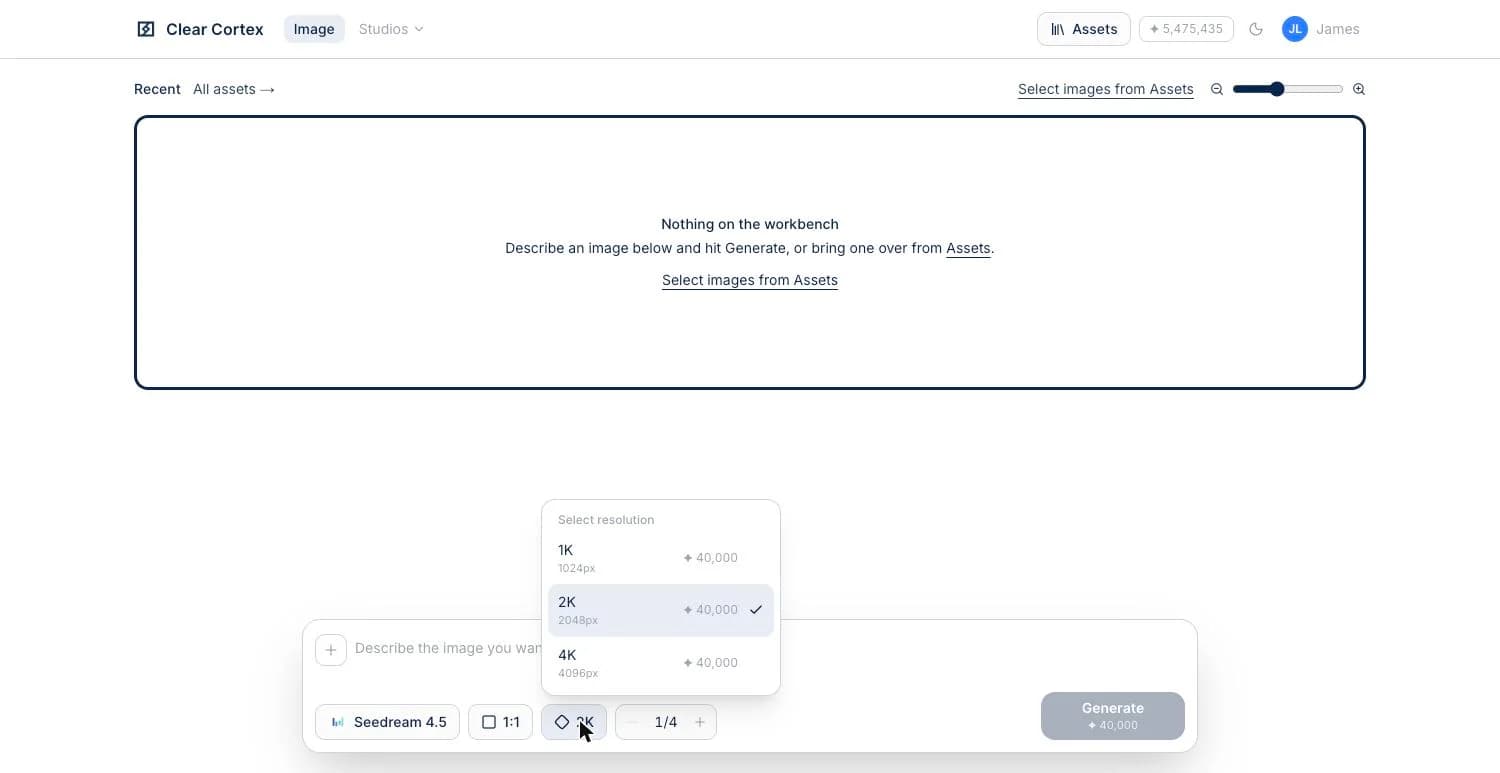
Let it open at 2K and go up freely
It is the only featured model that defaults to 2K rather than 1K, which tells you what it is for. Move to 4K whenever the image will be printed, used as a wallpaper, or cropped into — there is no arithmetic to do first.

Use the shapes made for screens
Eighteen aspect ratios, the widest list in the studio — and the interesting ones are 9:19.5, 19.5:9, 9:20 and 20:9, which are phone-screen proportions rather than photographic ones. A wallpaper generated at 9:19.5 needs no crop; the same image at 9:16 does.
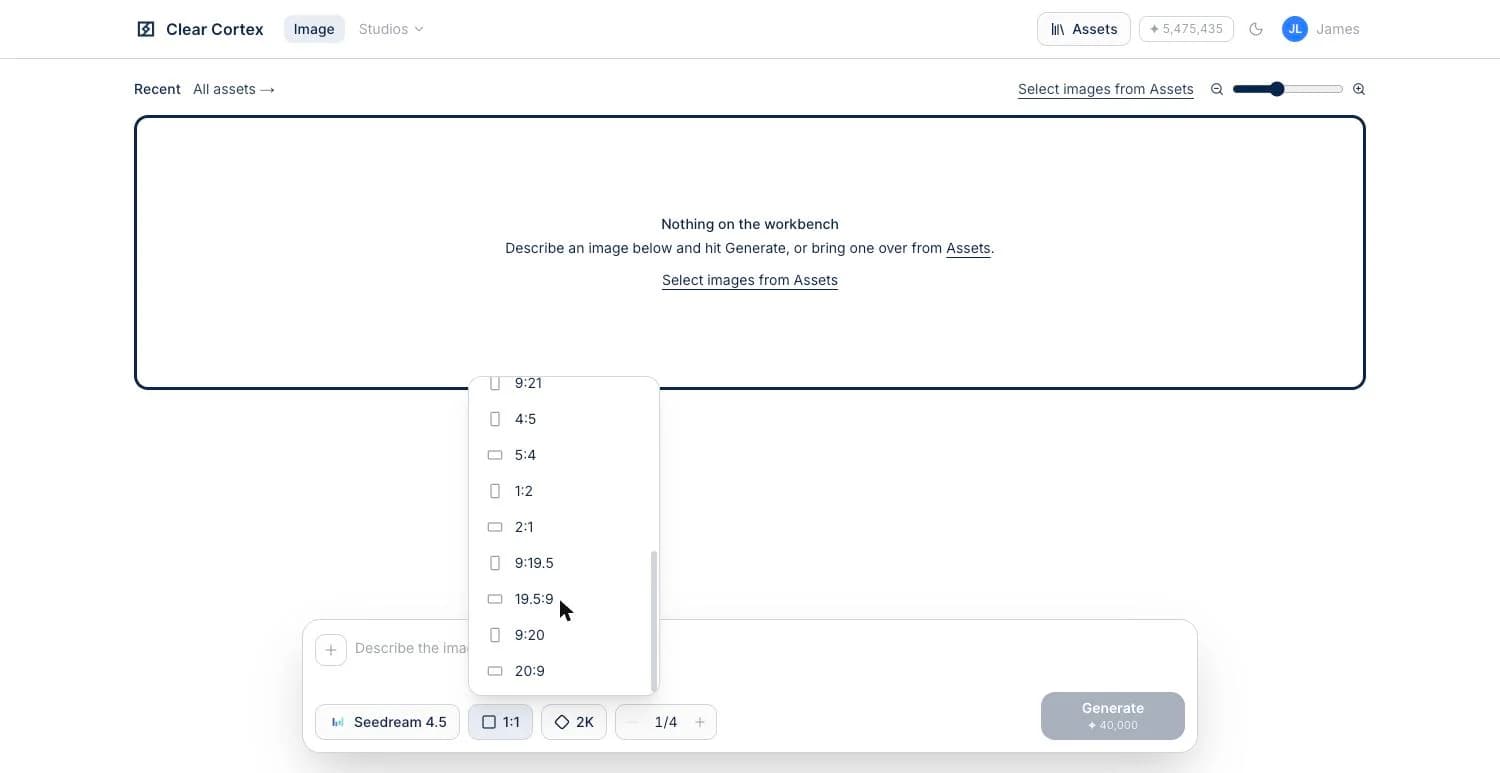
Ask for a set, not a single
It makes up to ten images per call, so a run of four arrives in one round trip. With the price flat across sizes, the cheap way to work here is a batch at the size you actually want rather than a batch of small drafts and a separate final pass.
Bring in up to fourteen references
The same reference budget as the Nano Banana models, and nearly four times what Flux.2 Klein allows. Combined with the flat pricing, that makes it the reasonable choice for building a large image out of several sources — a scene assembled from a set of photographs rather than described from scratch.
Hand it back for detail or for text
Size is what this model is for. For photographic texture at a normal size, the Flux ladder holds detail this smooths over; for anything carrying a headline, it is GPT Image 2 as always. Pick the model for the job rather than staying on one because it was right last time.